GoSweetSpot: Save contacts to Address Book
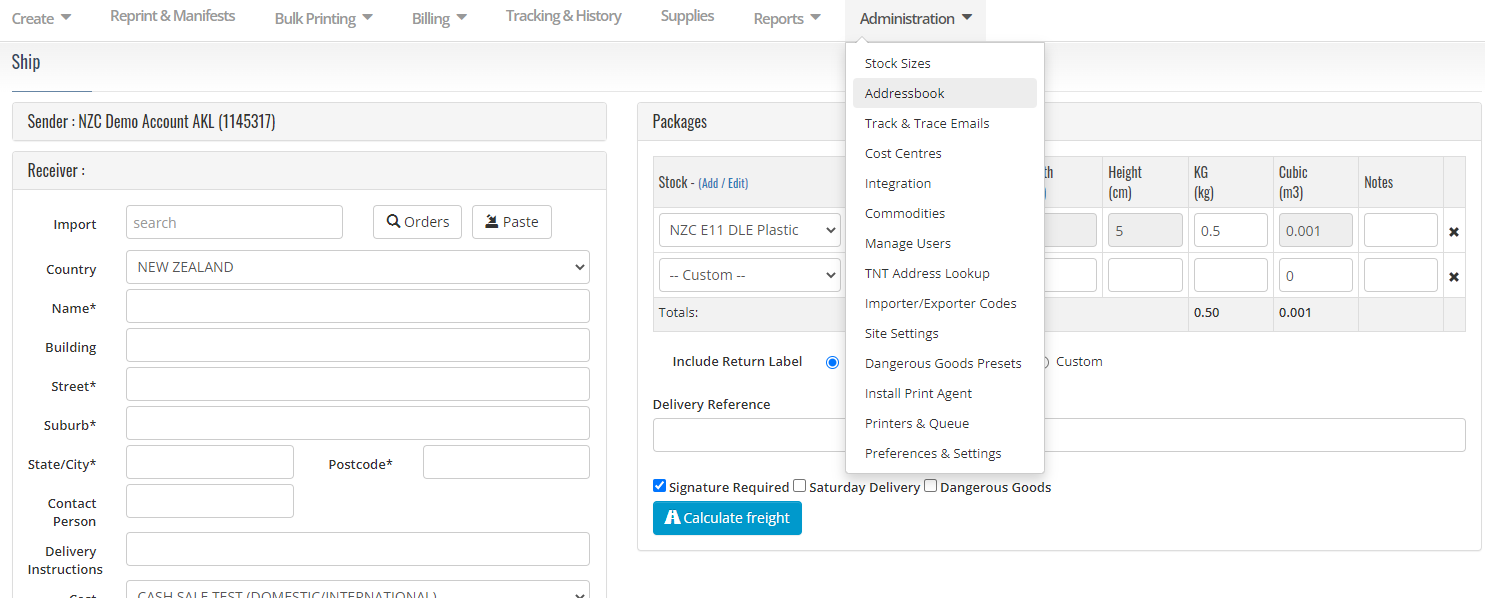
1. Go to the Addressbook
The Addressbook is located under the Administration tab on your GoSweetSpot homepage.
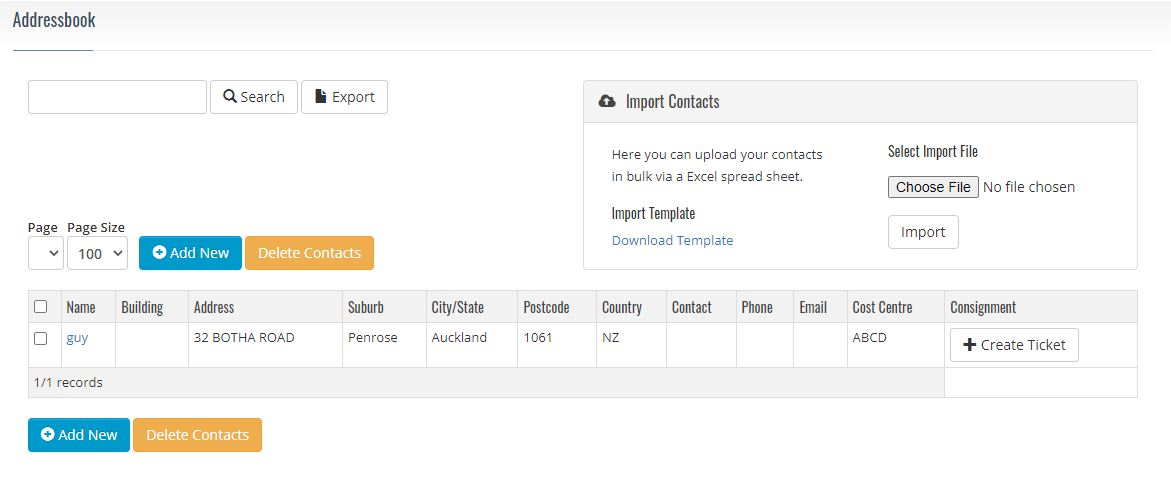
2. Save your frequent shippers' addresses
Save your frequent shippers' addresses and contact details for future use and migrate your address book over from other applications such as Outlook.
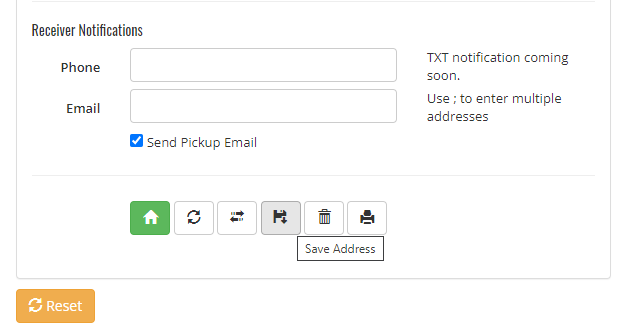
Additionally, click the ‘floppy disk’ icon on the Create Page to add your shippers as you go!
Related Articles
GoSweetSpot: Adding and Importing to your Address Book
What is the AddressBook used for? The Addressbook is where you can import and manage your company’s address book, including: Find and download the address file import template Import and validate an address book Create new validated addresses (Add ...GoSweetSpot: How to create a Cost Centre
What is a Cost Centre? Cost centres assist with reporting and allow you to allocate different settings. In the Cost Centres section, you can: Set up and manage relevant cost centres Assign cost centres when creating your ticket Set a default cost ...GoSweetSpot: Book a Pickup
Description Query to book a driver to pick up from your location. They will make a best effort attempt to pick up on the same day - however, if you book after 2PM it is recommended that you book again in the morning if they don't pick up on the same ...GoSweetSpot: Address Validation
Description Query to validate customer address details. For New Zealand addresses, the addresses are also assessed for rural delivery, saturday delivery and residential delivery. Requests Method: POST Content Type: application/json URL: ...GoSweetSpot: WooCommerce Installation
Prerequisite This article is an extension of the GoSweetSpot Shipping Options App article. Please ensure you have read that before continuing. Linking GoSweetSpot and WooCommerce Plugin After finding the GoSweetSpot Shipping Options plugin on ...