GoSweetSpot: How to create a Cost Centre
What is a Cost Centre?
Cost centres assist with reporting and allow you to allocate different settings.
In the Cost Centres section, you can:
- Set up and manage relevant cost centres
- Assign cost centres when creating your ticket
- Set a default cost centre to contacts in your address book
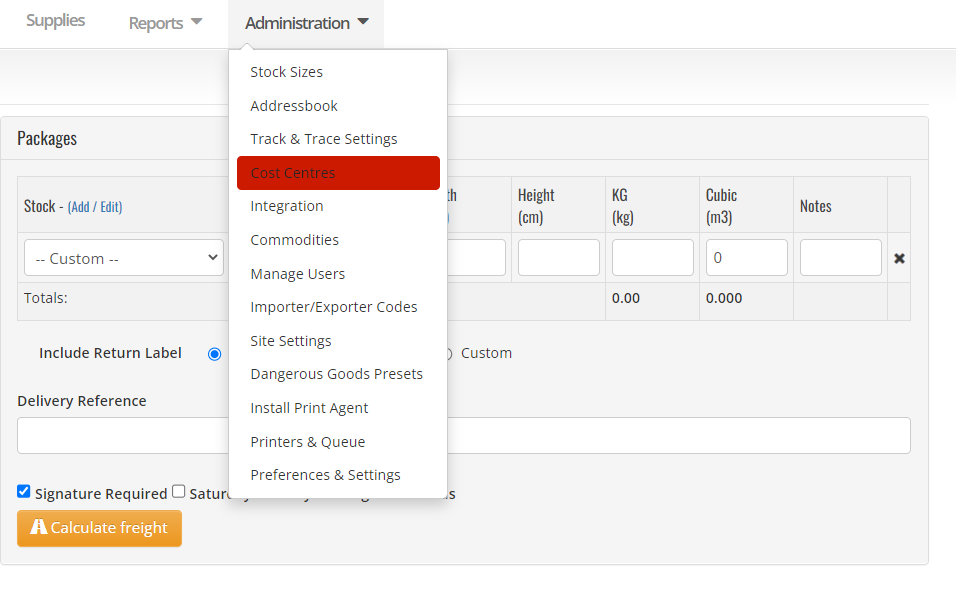
How to create a new Cost Centre
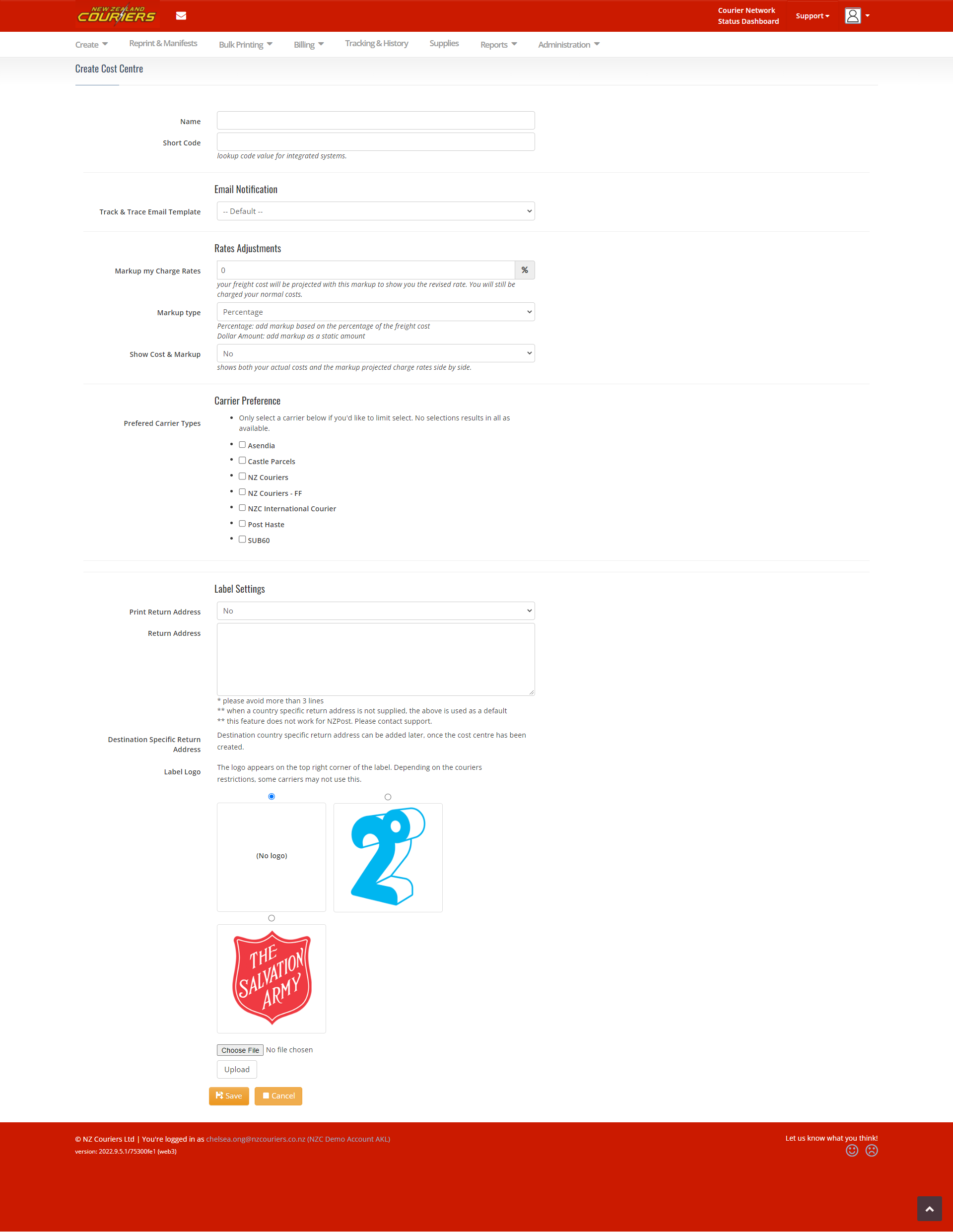
Adding one at a time
- Select Add New
- Fill out the fields with the relevant information
- Click Save
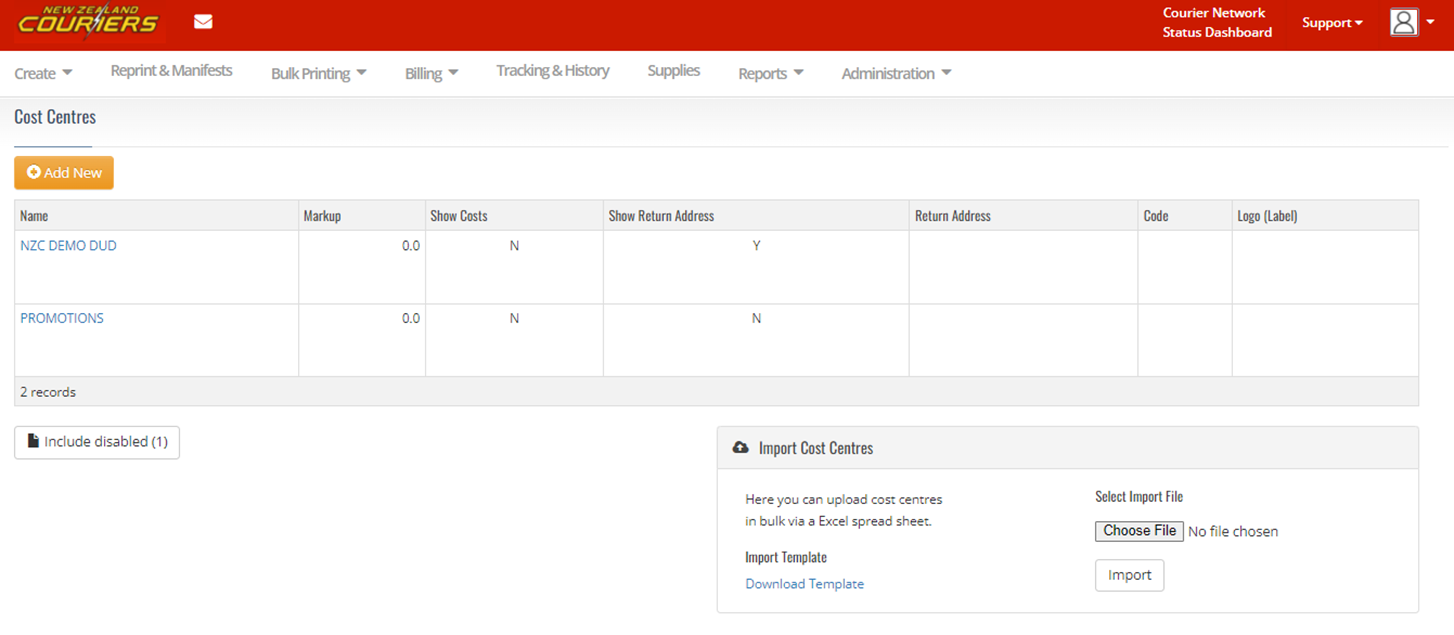
Bulk import
Like with the Address Book, you can bulk import if you deal with many cost centres
- Navigate to the Import Cost Centres section on the Cost Centres page
- Click Download Template
- Enter the relevant details
- Save the spreadsheet
- Click Choose File and choose your saved file
- Click Import
Related Articles
GoSweetSpot: Shipments
Get Shipment Updates Description Get status updates for shipments. Requests Method: GET Content Type: application/json URL: https://help.nzcouriers.co.nz/gosweetspot-api-integration/gosweetspot-shipments Headers access_key : your unique API key ...GoSweetSpot: Models
Available Rate Model Attribute Type Description quoteId Guid Unique rates calculation identifier. carrierId integer Id of carrier. carriername string Display name of courier provider. deliverytype string Courier delivery/service type. cost decimal ...GoSweetSpot: Adding and Importing to your Address Book
What is the AddressBook used for? The Addressbook is where you can import and manage your company’s address book, including: Find and download the address file import template Import and validate an address book Create new validated addresses (Add ...GoSweetSpot: Rates
Description Query to get available courier services and rates for the destination. Requests Method: POST Content Type: application/json URL: https://api-docs.gosweetspot.com/docs/rates/post.html Headers access_key : your unique API key provided by ...GoSweetSpot: How to create a Return Ticket
In some cases, it's necessary to create a Return Ticket, also known as Reverse Logistics. How to create a Return Ticket Go to Create, then select Returns & Freight Forward Click to Zoom Complete the Pickup Address fields and select package size Click ...