GoSweetSpot: International Commodities
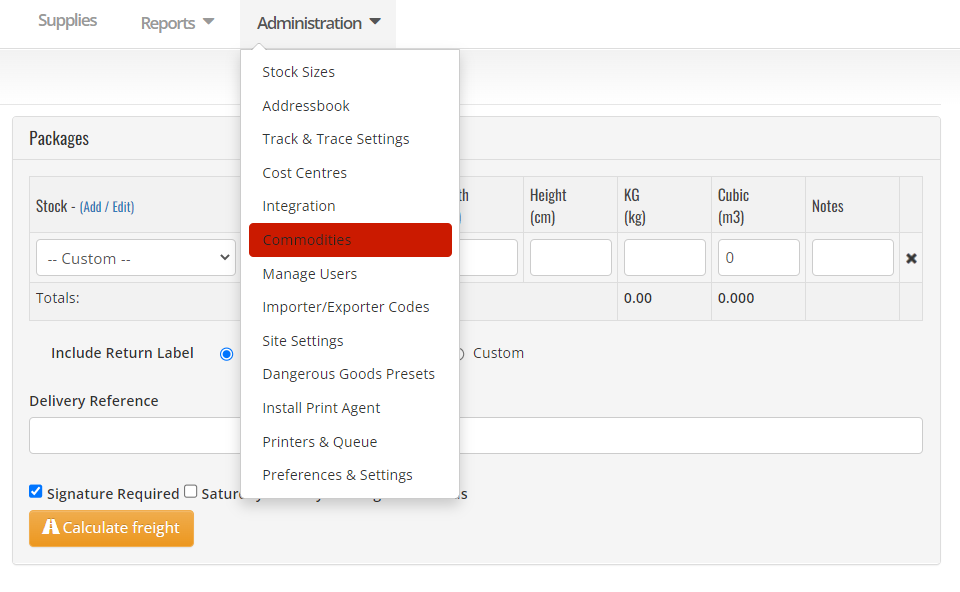
You can find the commodities page under the Administration tab.
What is the Commodities page used for?
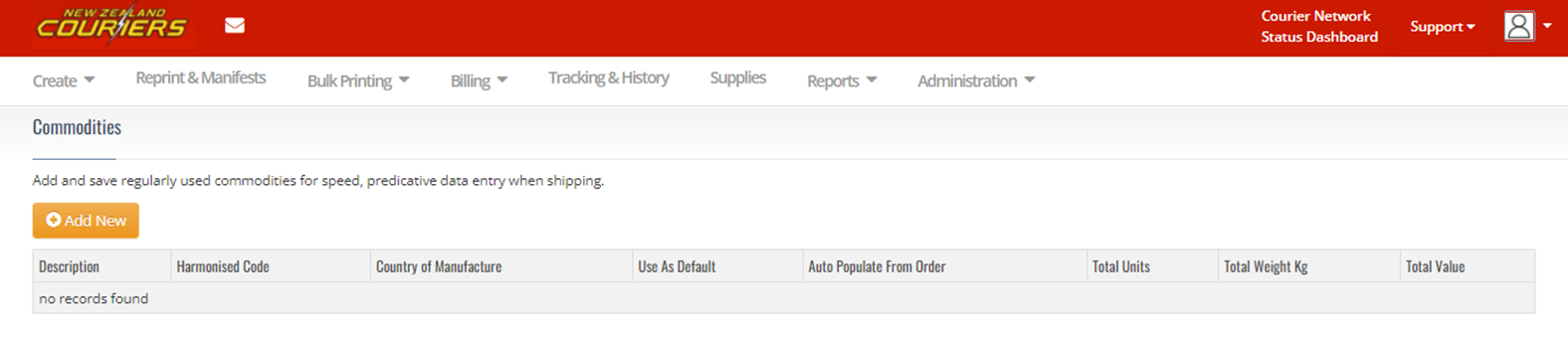
If you send items internationally, you can use this page to save regularly used commodities for speed and ease of dispatch.
How to save regularly used commodities
- From the Commodities page, select Add New
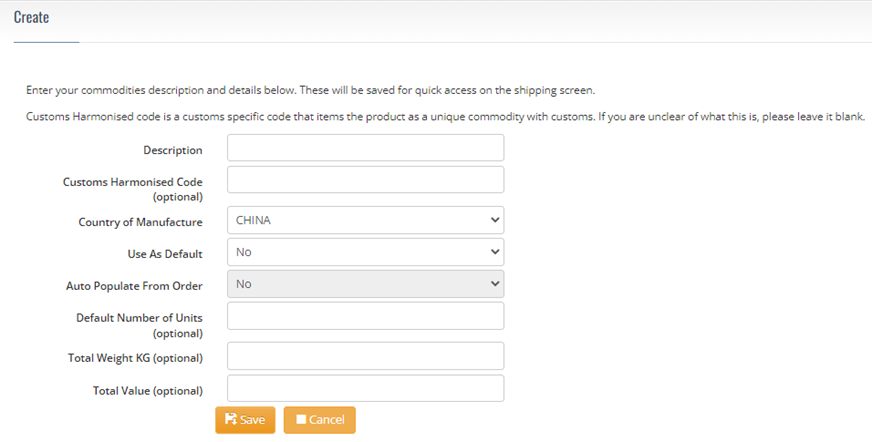
- On the Create screen, fill out all the relevant fields
- Click Save
What each field on the Commodities page means
| Field | Description |
|---|---|
| Description | Description of the goods. Do not use abbreviations. The description should match your harmonised code. Descriptions such as ‘sample goods’ or ‘no commercial value’ are unacceptable. |
Harmonised Code | While the message on the screen says the harmonised code is optional, New Zealand Couriers strongly recommend using this field to help avoid customs delays. |
Related Articles
GoSweetSpot: Shipments
Get Shipment Updates Description Get status updates for shipments. Requests Method: GET Content Type: application/json URL: https://help.nzcouriers.co.nz/gosweetspot-api-integration/gosweetspot-shipments Headers access_key : your unique API key ...GoSweetSpot: How to send an International Consignment
To send an item to an international address, simply change the Country field on the sending screen. This will slightly change the screen to accommodate sending to an international address. Click to Zoom Description of Receiver fields for ...GoSweetSpot: Models
Available Rate Model Attribute Type Description quoteId Guid Unique rates calculation identifier. carrierId integer Id of carrier. carriername string Display name of courier provider. deliverytype string Courier delivery/service type. cost decimal ...GoSweetSpot: Enabling Harmonised Code & additional documents
If you're planning to send internationally through GoSweetSpot, you may need to input a Harmonised Code and upload additional documents. If you're not seeing the fields for Harmonised Code or the option for additional documents on your shipping page, ...GoSweetSpot: Shipment Status
Description Get the available services associated with the access_key token. Requests Method: POS Content Type: application/json URL: https://api-docs.gosweetspot.com/docs/shipment-status/v2-shipmentstatus.html Headers access_key : your unqiue api ...