eDespatchIT: Adding addresses to your Address Book
How to add an address to your address book
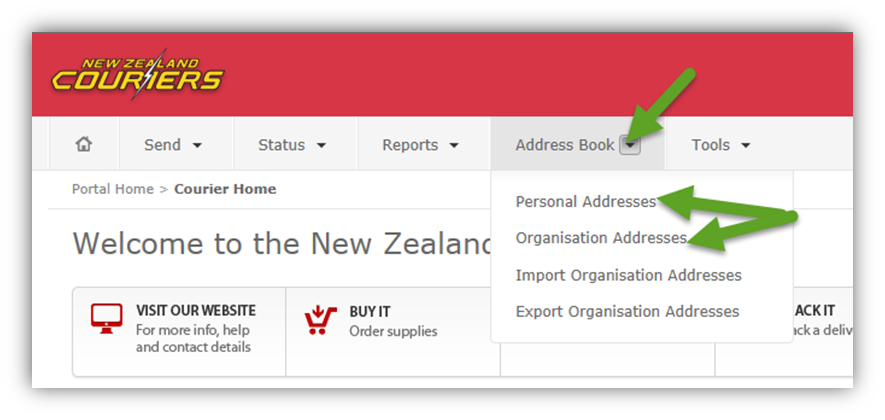
Click Address Bookand select either:
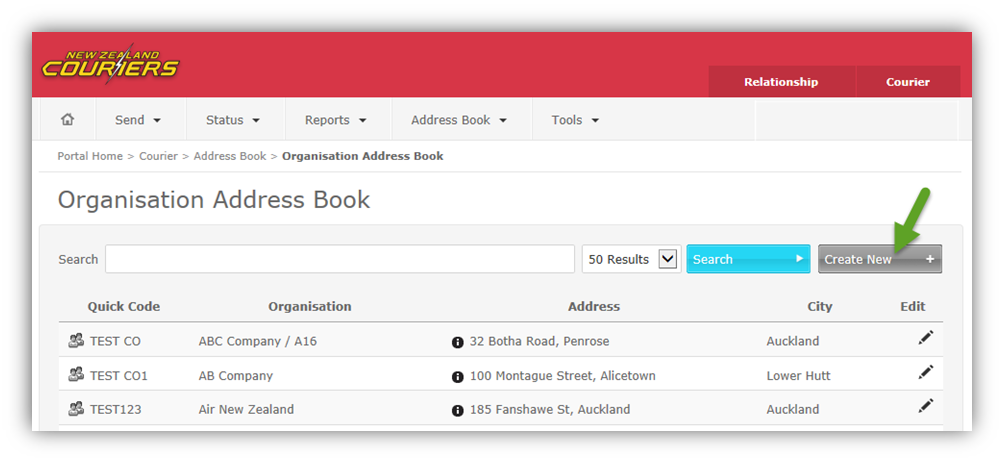
Click on Create New
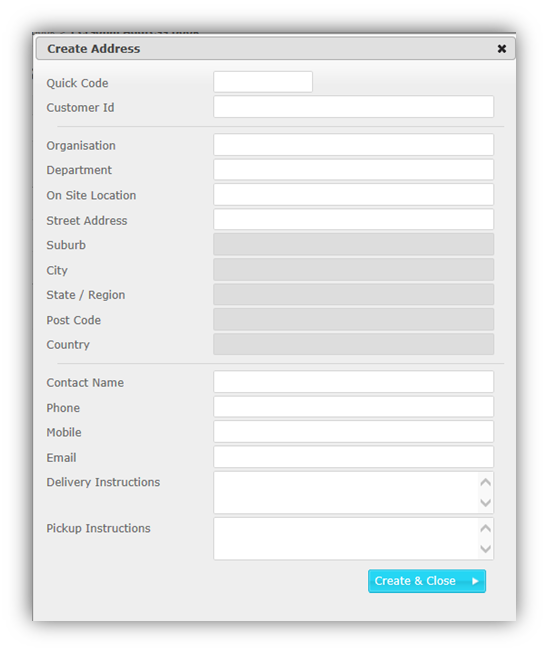
Enter customer details then click Create & Close
How to send to the new address
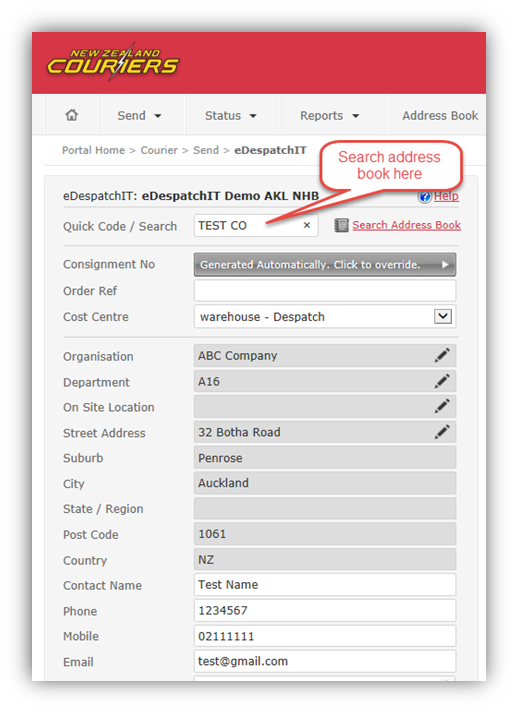
- Go to the Send page (Send > eDespatchIT)
- Enter the Quick Code to Search your address book
- Select the relevant address and fill out any remaining details
Related Articles
GoSweetSpot: Adding and Importing to your Address Book
What is the AddressBook used for? The Addressbook is where you can import and manage your company’s address book, including: Find and download the address file import template Import and validate an address book Create new validated addresses (Add ...
GoSweetSpot: Save contacts to Address Book
1. Go to the Addressbook The Addressbook is located under the Administration tab on your GoSweetSpot homepage. Click to Zoom 2. Save your frequent shippers' addresses Save your frequent shippers' addresses and contact details for future use and ...
GoSweetSpot: Address Validation
Description Query to validate customer address details. For New Zealand addresses, the addresses are also assessed for rural delivery, saturday delivery and residential delivery. Requests Method: POST Content Type: application/json URL: ...
How to book a pickup at my account location | My Parcels Portal
1. Log in Navigate to the New Zealand Couriers' Sender Portal page (click here) and log in using your username and password. 2. Navigate to 'Pickups.' Navigate to the 'Pickups' icon in the upper left corner and click on it, or click here to navigate ...
Why is Address Validation important?
New Zealand Couriers have coded every address in the country according to its latitude and longitude. This allows us to price delivery based on the characteristics of that address. With this information, we can provide: Fast delivery Reliable, ...